Antivirus Aegis: Junk Cleaner
- 3.8
- Rating
- 5.00M
- Installs
- Free
- Price

 Analysis by App-foxy
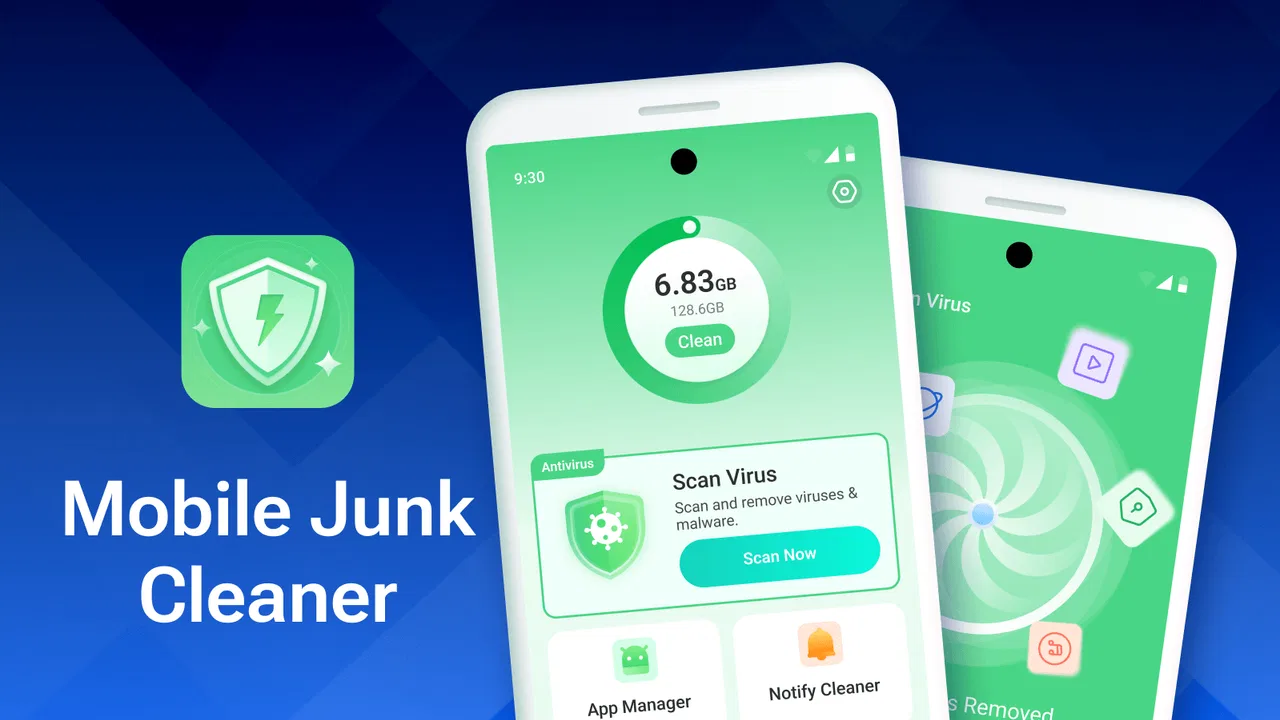
I tried Antivirus Aegis: Junk Cleaner as a practical Android tools app rather than treating it like a full security suite. Its purpose is easy to understand: help remove unwanted files, identify large or media-heavy items, and provide protection against viruses. That combination makes sense for someone whose phone feels crowded or who wants a simple security check without managing several separate utilities.
My first impression is that it aims for a broad audience. It is free, carries an Everyone age rating, and runs on Android 8.0 or later. The developer is Jockey APP, and the current release is version 1.0.0.4. Those details matter because this is a relatively new product position: I would approach it as a developing all-in-one tool, not as a replacement for every mature antivirus and file-management option on the market.
How Antivirus Aegis: Junk Cleaner feels in current use
The app sits in the tools category, but its appeal is less about technical control and more about reducing everyday maintenance. When storage is filling up, most people do not want to browse every folder manually. They want a quick way to see what is consuming space, remove obvious clutter, and check whether something suspicious deserves attention. That is the job this app is trying to simplify.
You May Also Like

 Blood Strike: 2.5 Anniversary
Blood Strike’s Loadouts Turn Every Drop Into a Tactical Gamble
A close look at Blood Strike’s custom loadouts: how fast access to signature weapons reshapes its battle royale rhythm, rewards preparation, and narrows the gap between fights.

 Pandora - Music & Podcasts
Pandora’s Music Is Easy to Start, but Harder to Recover
Pandora’s strength is its low-effort path from a seed to a station. Its weak spot is how much confidence it asks you to place in connection, setup, and quiet recovery.

 8 Ball Pool
 Is Built on Rivalries, Rematches, and Routine
A close look at the rivalries, rematches, shared routines, and unanswered safety questions that turn a quick pool match into a persistent mobile community.

 Samsung Music
’s Quiet Strength Is Playing What You Already Own
Its reach comes less from spectacle than from dependable access to a personal library. That simplicity is both the app’s strongest retention engine and its ceiling.

 AccuWeather: Weather Radar
AccuWeather Review: A Quick, Clear Forecast for Everyday Decisions
For everyday plans, the best forecast is the one you can understand quickly. AccuWeather makes rain timing, radar, and local conditions easy to act on, with a few trade-offs.

 Hill Climb Racing
Why Hill Climb Racing Still Turns Crashes Into One More Run
A tiny car, a bumpy hill and one more upgrade: Hill Climb Racing keeps resurfacing because its simple chaos makes every near-miss feel personal.
More From Our News Desk



I find the combination more useful than a cleaner that only deletes temporary material. Large videos, duplicated-looking media, forgotten downloads, and old installation files are often the real reason a phone becomes uncomfortable to use. A junk scan can help with routine housekeeping, while a separate look at large and media files encourages more careful decisions. That separation is important: deleting a cache item is not the same as deleting a personal recording.
The strongest everyday scenario is a phone used for messaging, photos, short videos, and downloads. After several months, storage can become difficult to understand because files arrive from many different apps. I would use Aegis before a trip, before recording a lot of video, or when an update refuses to install because free space is low. The useful workflow is to scan first, inspect the biggest groups, remove only what I recognize, and then run the security check rather than accepting every cleanup suggestion automatically.
The safest habit is to treat cleanup as a review process, not a one-tap demolition. Media files are personal, and a cleaner cannot know whether an old clip is disposable simply because it is large. I would especially check folders connected with camera backups, messaging apps, and offline content before confirming anything. This small pause is the difference between freeing space and losing something valuable.
What the current release suggests
Version 1.0.0.4 gives the app a clear starting point, but it also shapes my expectations. I would not judge it by the standards of a long-established security platform with years of refinements. A first-stage product can still be useful, yet its interface, scan explanations, and cleanup recommendations deserve closer attention because these are the areas that determine whether an all-in-one utility feels trustworthy.
The product has already attracted over five million installs and holds an average rating of 3.9 from around 5.9 thousand ratings. That tells me there is real interest in the concept, while the rating also suggests that the experience may not be equally smooth for everyone. I would read that figure as a reason to test the app carefully on my own phone rather than assuming that a large install base guarantees a perfect fit.
The app is free, which removes the biggest barrier to trying it. It also makes the decision easier for someone who wants basic cleanup and a virus-protection tool without immediately paying for a subscription. Still, free tools often require more patience around recommendations, alerts, or optional extras. I would pay attention to what the app asks me to confirm and whether its warnings explain the practical reason behind each action.
How the cleanup side can help
The junk-cleaning function is most valuable when it turns an unclear storage problem into a shortlist of decisions. Instead of opening settings, file managers, and individual media folders one by one, I can begin with a broad scan and then focus on the categories that matter. This is particularly helpful for less technical users who know their phone is full but do not know where to start.
Large-file review is another useful angle. A small number of videos can occupy more space than hundreds of ordinary documents, so sorting attention toward size can produce a faster result than deleting random files. My advice is to start with the largest items, open or identify them where possible, and remove only files that already exist elsewhere or are no longer needed. This makes the tool useful even when the junk category itself produces little to delete.
Media cleanup needs a different mindset. Photos and videos may be redundant, but they may also be the only copy. I would use the feature as a discovery tool rather than an automatic decision-maker. If I am cleaning a family member’s phone, I would also ask before removing anything from shared conversations or camera folders. The app can organize the problem; ownership still belongs to the person using the device.
There is a less obvious benefit here: a storage scan can reveal habits. If the same type of download repeatedly appears among the largest files, I can change how I save offline material or review messaging settings. In that sense, Aegis is not only a broom. Used regularly and cautiously, it can show why storage keeps disappearing and help me prevent the same buildup.
What to expect from virus protection
The antivirus promise is useful for people who want a straightforward safety check alongside cleanup. I would use it after installing an unfamiliar application, before handing a phone to a child, or when a device begins behaving strangely after a recent download. A security scan can provide reassurance and may draw attention to an application that deserves investigation.
However, I would not treat any single mobile scanner as permission to ignore basic safety. I still avoid suspicious files, review application sources, keep Android updated, and think carefully before granting sensitive access. Aegis can be one layer in that routine, but it should not replace cautious behavior. This is especially important for users who expect an antivirus label to block every possible threat automatically.
The best way to judge the security side is by the clarity of its results. I want to know what was checked, why an item was flagged, and what will happen if I remove or ignore it. A vague warning is less helpful than a calm explanation. If the app presents a recommendation, I would rather inspect it than tap through a sequence of urgent-looking prompts.
This is also where a specialist antivirus may be the better choice. Someone who needs detailed threat reporting, enterprise controls, or a long record of independent security testing should compare dedicated security products instead of relying only on a lightweight cleaner. Aegis makes more sense for ordinary phone maintenance, where a simple scan is part of a broader routine.
How it compares with the usual alternatives
Android’s built-in storage controls remain a strong alternative for users who only need to see what occupies space and remove files manually. Those controls are usually closer to the operating system and can feel more predictable. I would choose them when I want maximum transparency and do not need a combined security check.
A dedicated file manager is better for people who organize folders, move files between locations, or need precise control over names and paths. It can take longer, but it gives me a clearer understanding of what I am deleting. Aegis is more convenient when I want a guided overview rather than a complete filing system.
Cloud-photo tools can also be preferable for someone whose main problem is a crowded camera library. They may fit a backup-and-free-space workflow better than a general cleaner, provided the user understands what has been backed up and what remains stored locally. I would not use a broad cleanup recommendation as a substitute for confirming a proper backup.
Dedicated antivirus software is the natural comparison on the security side. It may offer deeper controls and more specialized explanations, while Aegis is attractive because it combines that purpose with storage maintenance. The trade-off is focus: one app can be convenient, but separate tools may do each job with greater depth. My choice would depend on whether convenience or detailed control matters more.
Where existing users may feel friction
People who already have a reliable file manager, a trusted security product, and a well-organized backup routine may gain little from adding another utility. In that situation, Aegis could duplicate functions I already understand. I would skip it if my phone has plenty of free space and I am uncomfortable with broad cleanup suggestions.
Users with older devices should also keep their expectations practical. Android 8.0 compatibility makes the app available to a wide range of phones, but an older handset may have limited storage or slower scanning. A cleanup tool cannot create permanent capacity, and removing temporary material will not solve a phone that is simply outgrowing its hardware.
Another limitation is the risk of false confidence. A clean result does not mean every privacy or security concern has disappeared. Likewise, a large-file list is not automatically a list of junk. I would be cautious with any workflow that encourages speed over inspection. The app is most useful when it helps me make informed choices, not when it tries to make every choice for me.
The public review count is relatively small compared with the overall rating activity, so I would focus more on my own experience with scan clarity, stability, and the usefulness of its recommendations. The rating gives a broad signal, not a guarantee that every device will behave identically. Hardware, Android version, storage condition, and personal file habits can all change the result.
Practical ways I would use it
For a quick monthly check, I would begin with the storage scan, review the largest categories, and remove only recognizable clutter. I would then inspect media separately, because personal files need more care than temporary material. Finally, I would run the security check and note whether the result gives a clear reason for any warning. This order keeps cleanup decisions separate from security decisions.
Before a long journey, I would use it to find space for offline maps, photographs, or recordings. I would not wait until the phone is completely full, because the review process takes longer when every file feels urgent. Clearing old downloads and duplicate-looking media first is usually safer than touching recent camera content.
On a shared or family phone, I would make the process collaborative. The person who owns the photos should approve media deletion, while the person maintaining the device can handle obvious temporary clutter. This is a simple but important distinction that a general-purpose cleaner cannot make on its own.
If the app identifies something as risky, I would avoid immediately deleting it unless I understand the consequence. I would check whether I recognize the application, consider when it was installed, and look for a safer explanation before acting. Aegis is helpful as a prompt to investigate; it should not replace judgment.
What I would watch as the product develops
Because the current version is 1.0.0.4, future progress matters. I would watch for clearer explanations during scans, better separation between harmless clutter and personal media, and recommendations that make the reason for each suggested action obvious. Those improvements would make the app safer for people who are not comfortable managing files manually.
I would also look for a smoother balance between convenience and control. A strong update would let beginners finish a routine cleanup quickly while still giving careful users enough detail to inspect locations and file types. That balance is more important than adding a long list of buttons. For this kind of app, trust grows from understandable decisions.
Security communication deserves the same attention. If a result is serious, the app should explain what the user can do next without creating unnecessary panic. If a result is routine, it should say so plainly. I would consider that kind of measured guidance a more meaningful improvement than louder alerts.
My overall view is positive but measured. Antivirus Aegis: Junk Cleaner is a reasonable free option for Android users who want storage housekeeping and a basic security check in one place. Its best use is as a guided maintenance companion, especially when large files and media are the real source of storage pressure. It is not the right choice for someone demanding deep file-management control or specialist antivirus capabilities.
With an average rating of 3.9 and more than five million installs, it has enough visibility to be worth trying, while its early version status reminds me to keep expectations realistic. I would recommend it to a friend who wants a simple starting point, provided I also explain the golden rule: review personal files before deleting them. If that careful approach suits you, Antivirus Aegis: Junk Cleaner can make an otherwise confusing phone-maintenance task much easier to begin.
For readers deciding whether it fits their household, the Everyone rating makes it approachable, but age suitability should never replace supervision on a shared device. I would install it when convenience matters, test how clearly it presents its findings, and keep a dedicated alternative in mind if my needs grow beyond basic cleanup and protection. That is where the app currently feels most honest: useful for everyday upkeep, promising as it evolves, but best used with an attentive human making the final decisions.
FAQs for Antivirus Aegis: Junk Cleaner
01What features does Antivirus Aegis: Junk Cleaner offer?
Antivirus Aegis: Junk Cleaner provides a comprehensive suite of features including real-time virus protection, junk file cleaning, RAM boosting, and device optimization. It can scan for malware and potential threats, ensuring your device runs smoothly and securely while freeing up valuable storage space by removing unnecessary files.
02Is Antivirus Aegis: Junk Cleaner safe to use on my device?
Yes, Antivirus Aegis: Junk Cleaner is designed with user safety in mind. It uses advanced algorithms to detect and remove threats without compromising your personal data. The app undergoes regular updates to ensure it stays ahead of new security challenges, providing a safe and reliable experience.
03How does the junk cleaning feature work in Antivirus Aegis?
The junk cleaning feature scans your device for temporary files, cache, and other unnecessary data that can accumulate over time. Once identified, these files can be swiftly removed, freeing up storage space and improving device performance. The process is user-friendly, allowing you to clean with just a few taps.
04Will using Antivirus Aegis: Junk Cleaner significantly drain my battery?
Antivirus Aegis: Junk Cleaner is optimized to minimize battery consumption. While scanning and cleaning operations require some power, the app is designed to perform these tasks efficiently without significantly impacting your device's battery life, ensuring a balance between security and resource management.
05Is Antivirus Aegis: Junk Cleaner free, and are there in-app purchases?
Antivirus Aegis: Junk Cleaner offers a free version with essential features. However, it also provides a premium version that unlocks advanced functionalities such as enhanced real-time protection and priority customer support. In-app purchases are available for users seeking to maximize their device protection and performance.
Pros
- User-friendly interface enhances navigation.
- Comprehensive scanning for hidden threats.
- Optimizes device performance efficiently.
- Frequent updates ensure robust protection.
- Lightweight app minimizes battery usage.
Cons
- Occasional false positives in threat detection.
- In-app ads can be intrusive at times.
- Limited features in the free version.
- Requires internet for full functionality.
- Initial scans may take longer.

Antivirus Aegis: Junk Cleaner
Gallery